Best Valorant Settings That Pros Use
Table of Contents
As with any modern competitive game, finding the best settings for your system improves gameplay and boosts performance.
But, there's a problem, and it's a big one: Setting up Valorant can be a chore, especially with so many options.
To help you out, we have a list of pro Valorant settings you can copy and fine-tune to find the best fit for your needs.
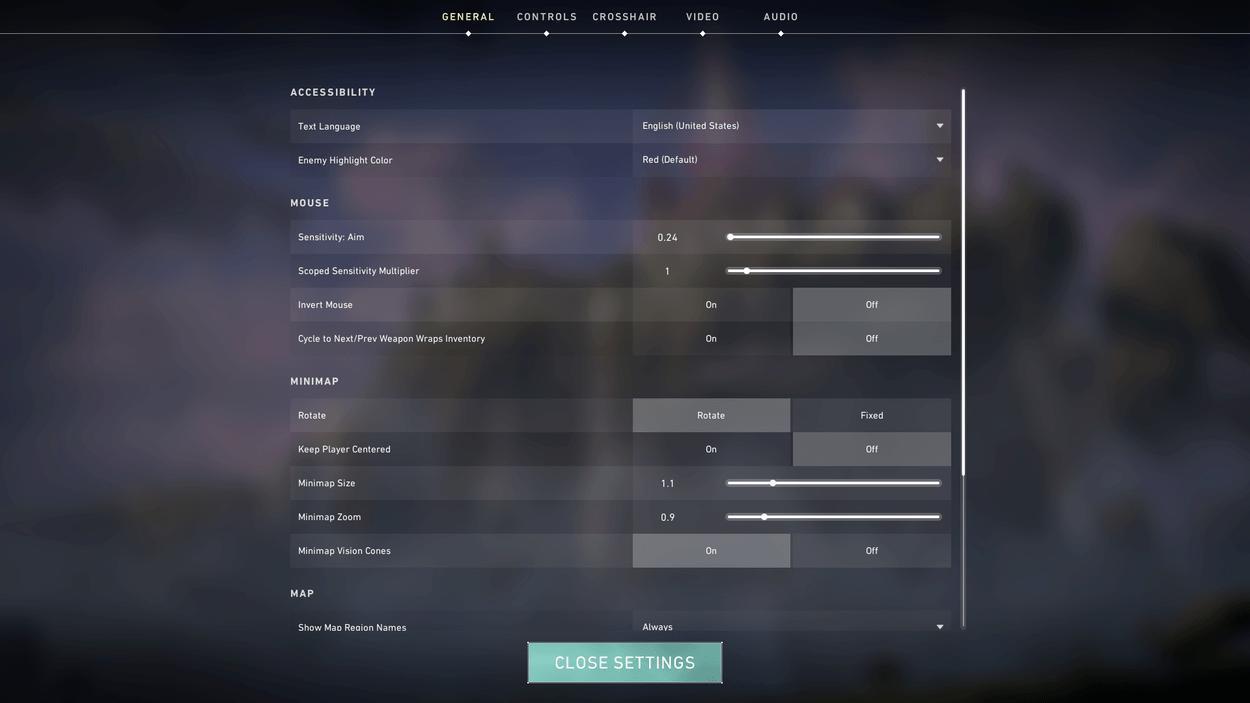
Let's start with the best Valorant PC settings under the General tab:
- Display Mode: Full screen
- Always Show Inventory: Off
- Player Loadouts Always Visible: Off
- Show Blood: On
- Instability Indicators: On
The minimap in Valorant is a valuable tool that gives you so much information about the ever-evolving state of the game. The fast pace of Valorant gameplay makes it so important that you get all the information you can from the minimap at a glance. To achieve this, here are the best Valorant minimap settings:
- Rotate: Set to "Rotate" for more map awareness, but up to personal preference
- Fixed Orientation: Based on the side
- Keep Player Centered: Off
- Minimap Size: 1.0 - 1.2
- Minimap Zoom: 0.9 - 1.0
- Minimap Vision Cones: On
- Show Map Region Names: Always
Best Mouse Settings and DPI
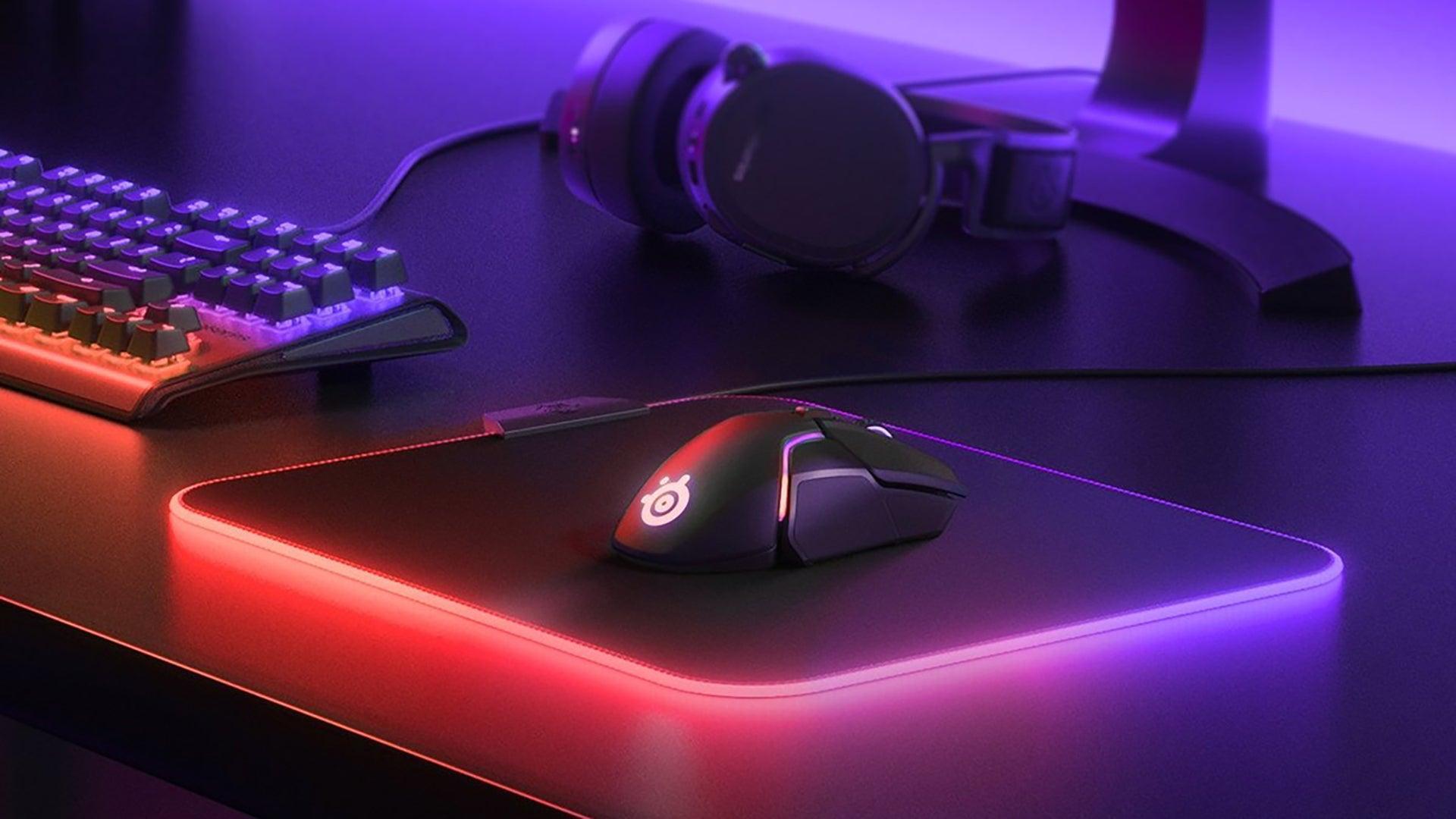
Valorant players will find the mouse and sensitivity settings to be the most subjective and hard to configure in the whole list. This is because pro settings provide only a basis for what may work for you; you have to find the right sensitivity setting for yourself.
The best Valorant players know that Mouse and DPI settings are crucial not only in winning battles but also in learning aiming habits that make or break Valorant careers. Here's how to get the best mouse DPI and best sensitivity for Valorant:
- Find what works best. Start with higher mouse sensitivity and gradually lower it to see what works best in the range.
- Mouse sensitivity: For in-game sensitivity, pros use 800 DPI to 1600 DPI. The eDPI setting for Pro players has an average of 267.
- Scoped sensitivity: 0.95 - 1.00.
Best Video Settings and Graphic Settings
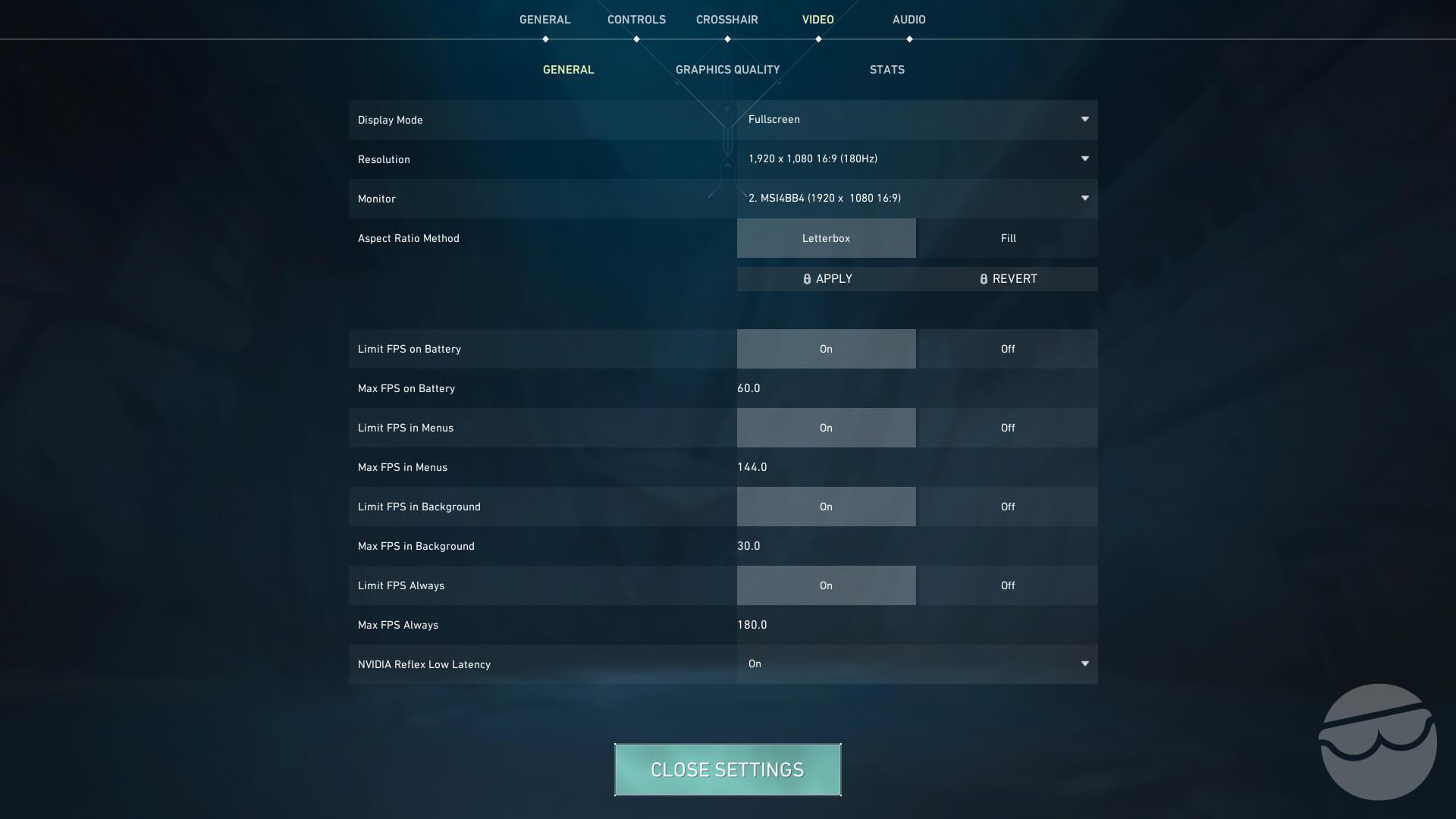
Valorant is a first-person shooter game that rewards reflex and mechanics. To eliminate your opponent, you must first see your opponent. That is why we need to have the best balance between a good refresh rate and graphics quality. Tweaking your video settings and in-game resolution settings is the best way to improve FPS and get better visual quality without sacrificing performance.
Here are the best Valorant video settings for the best Valorant performance:
- Resolution: 1920x1080 or 2560x1440
- Refresh Rate: 144 Hz, depending on the monitor
- Display Mode: Fullscreen
- Aspect Ratio: 16:9
- NVIDIA Reflex Low Latency Technology: On (+Boost if supported)
Here are the recommended Graphics settings:
- Multithreaded Rendering: On
- Material Quality: Low
- Texture Quality: Low
- Detail Quality: Low
- UI Quality: Low
- Vignette: Off
- VSync: Off
- Anti-Aliasing: MSAA 2x or None, up to preference
- Anisotropic Filtering: 2x or 4x, up to preference
- Improve Clarity: Off
- Bloom: Off
- Distortion: Off
- Cast Shadows: Off
Valorant has a breakneck pace while also being a stylistic game with colorful attributes, so most of the graphics settings are turned down to improve visual quality and performance.
Best Crosshair Settings Used by Pros
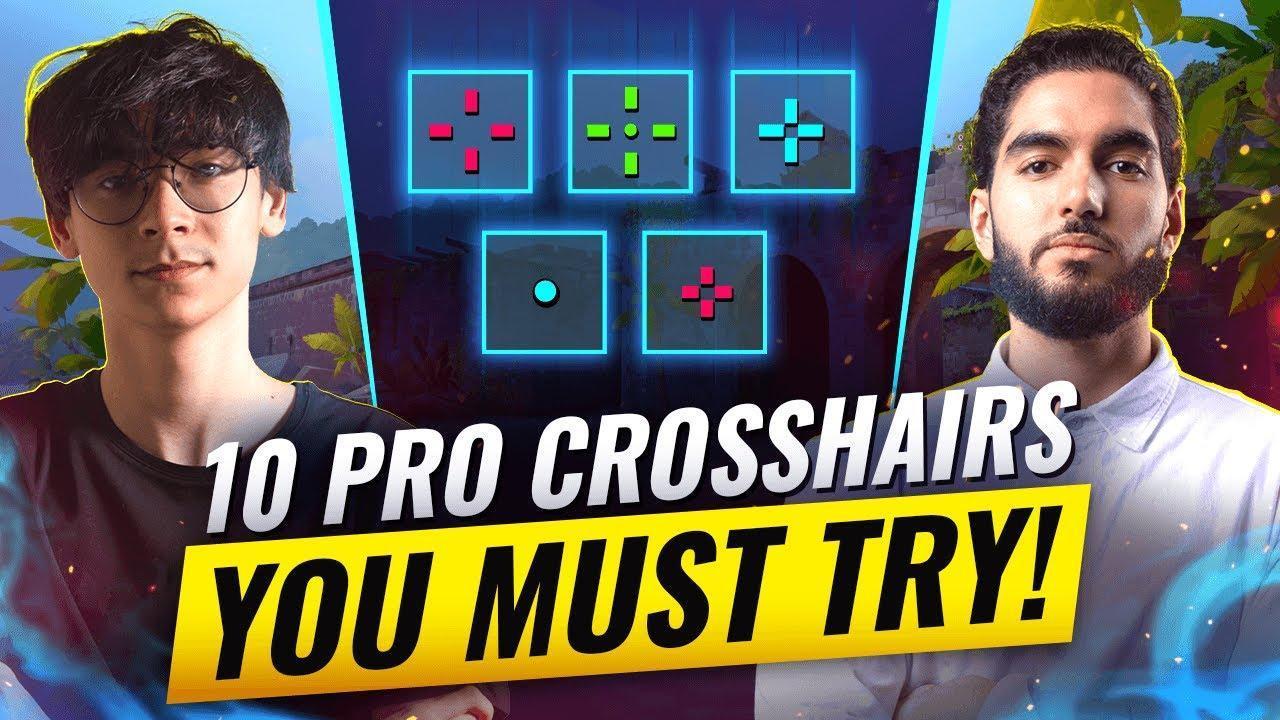
There are lots and lots of Valorant crosshair settings in the wild. Many Valorant players offer the best ones, so you can set yours with the same settings the pros use for their high-level plays. Here are some of the best crosshair settings from the world's best Valorant pro players:
| Player | Raw Match / Stat Encoding |
|---|---|
| TenZ | 0;s;1;P;c;5;h;0;0l;5;0v;0;0g;1;0a;1;0f;0;1l;0;1v;4;1g;1;1o;2;1a;1;1m;0;1f;0;S;c;5;o;1 |
| Zekken | 0;s;1;P;c;1;t;2;o;1;d;1;0b;0;1b;0;S;c;8;s;0.823 |
| yay | 0;P;h;0;0l;4;0o;0;0a;1;0f;0;1b;0 |
| aspas | 0;s;1;P;o;1;d;1;0b;0;1b;0;S;c;0 |
| s0m | 0;s;1;P;c;8;h;0;b;1;0v;4;0g;1;0o;2;0a;1;0f;0;1b;0 |
| alfajer | 0;s;1;P;h;0;0l;2;0o;2;0a;1;0f;0;1b;0;A;c;5;o;1;d;1;0b;0;1b;0;S;s;0.628;o;1 |
| kaajak | 0;s;1;P;o;1;d;1;0b;0;1b;0;S;s;0.603;o;1 |
| Ethan | 0;s;1;P;h;0;0l;1;0o;0;0a;1;0f;0;1l;1;1o;2;1a;1;1m;0;1f;0 |
| d4v41 | 0;s;1;P;c;5;h;0;0l;4;0o;0;0a;1;0f;0;1b;0 |
| f0rsaken | 0;P;h;0;0l;4;0a;1;0f;0;1b;0 |
| Boaster | 0;P;c;1;h;0;0l;3;0o;2;0a;1;0f;0;1b;0 |
When it comes to crosshairs, it mostly comes down to how they fit your playstyle and your personal preference, so figure out which works best and play Valorant like a pro.
Best Audio Settings
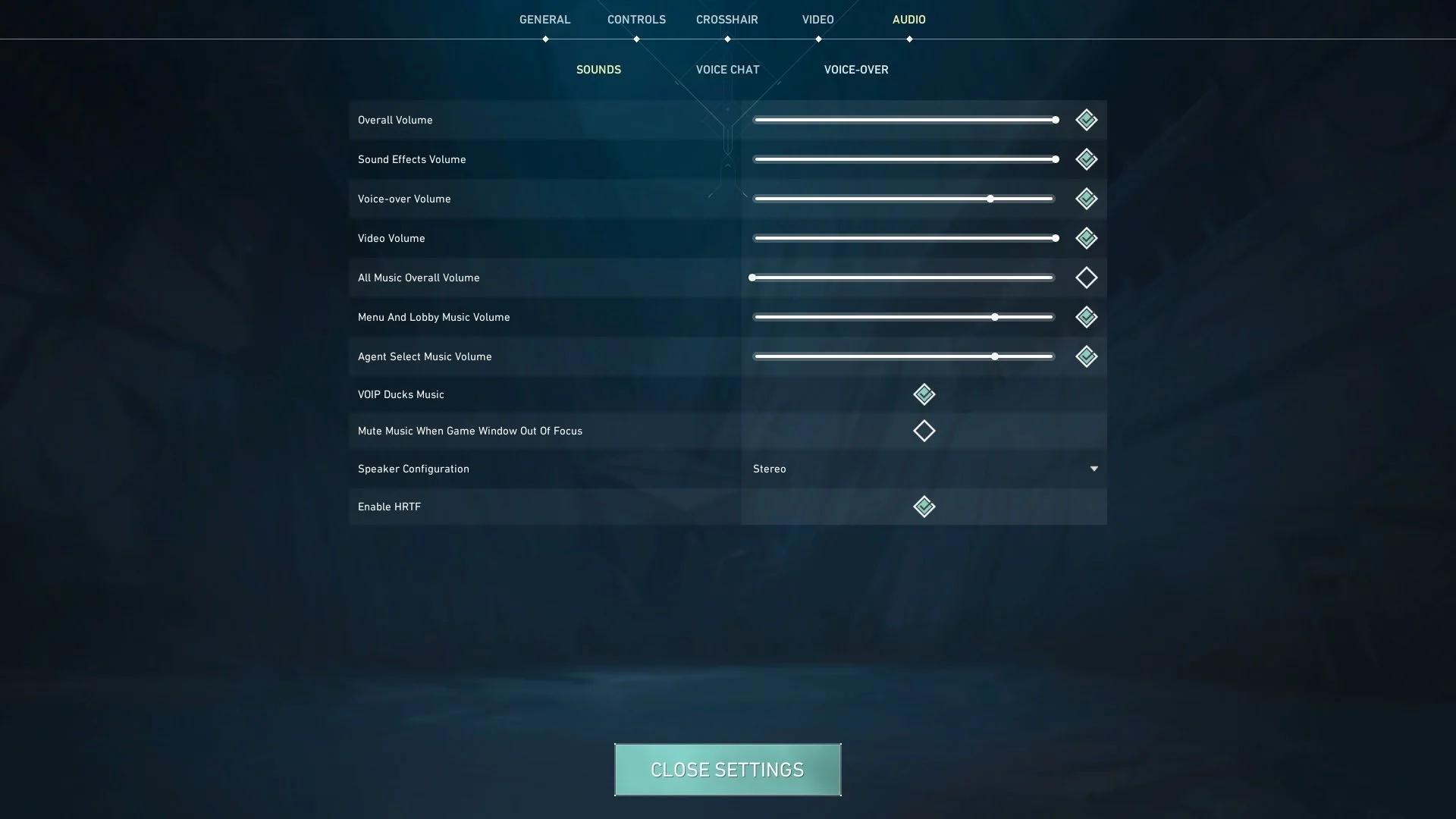
Sound settings in Valorant play a huge role in having a good read on the state of things mid-round. Something that might seem trivial, such as hearing an Omen use Shrouded Step, is crucial and can make or break rounds. These Valorant audio settings help with getting the most information you can get in-game:
- Main volume: Up to preference
- Sound effects: Increased for in-game sound cues
- Voice-over: Minimum but audible, this sometimes gives important info
- All music: Lower or mute to eliminate distractions
- Speaker configuration: Stereo - this is important for in-game spatial awareness
- Surround Sound (HRTF): Set to Enabled for more accurate spatial info.
Pro player settings for audio absolutely require Stereo to get the most out of the sounds in Valorant. Optimizing your audio settings is a surefire way to improve your game sense and spatial awareness.
Recommended PC Specs for the Best Performance in Valorant
You don't need to have the best gaming PC in the market to play Valorant, but better PC specs will get you a competitive advantage in terms of optimized frame rate and refresh rate. This guarantees that gunfights will feel better on your end, and playing on a 144Hz monitor will surely make Valorant run smoother, with better performance and visibility.
If working on your mechanics and game sense can't make you reach the rank you deserve, maybe upgrading your graphics card or your CPU will help improve your gameplay and give you the perfect Valorant performance that fits your level of skill.
Minimum PC specs
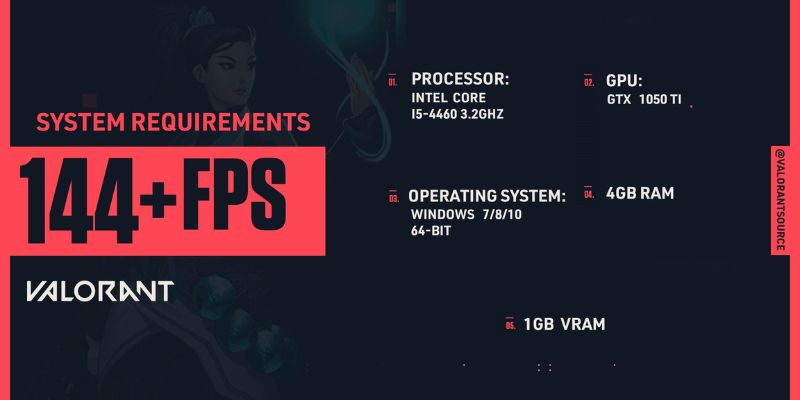
- CPU: Intel i3-540, AMD Athlon 200GE
- GPU: Intel HD 4000, AMD Radeon R5 220
- RAM: 4GB
- OS: Windows 10 or 11
Recommended PC specs
- CPU: Intel i5-9400F 2.90GHz, AMD Ryzen 5 2600X
- GPU: NVIDIA GTX 1050 Ti, AMD Radeon R7 370, Intel Arc A310
- RAM: 4GB
- OS: Windows 10 or 11
Arlo is a gaming content writer and analyst covering League of Legends, Valorant, and competitive esports strategy.
All articles by ArloTurn knowledge into rank
Get a verified pro to review your gameplay and give you a plan.