
How to See My Time Spent on LoL

Table of Contents
- Summary of Ways to Check Your Total LoL Playtime
- Method 1: Check Your Time Played in the LoL Client
- Method 2: Use a Third-Party Tracker (wol.gg, NoobHours, etc.)
- Method 3: Manual Estimation From Match History and Average Game Time
- Can I Request My Playtime Data From Riot Support?
- Making Your LoL Playtime Meaningful
Every League player eventually runs the uncomfortable math: games played, multiplied by average match length, divided by “please let this be low.” You probably feel the answer in your gut. The good news, or bad, is that you can get the exact number in seconds now.
Summary of Ways to Check Your Total LoL Playtime
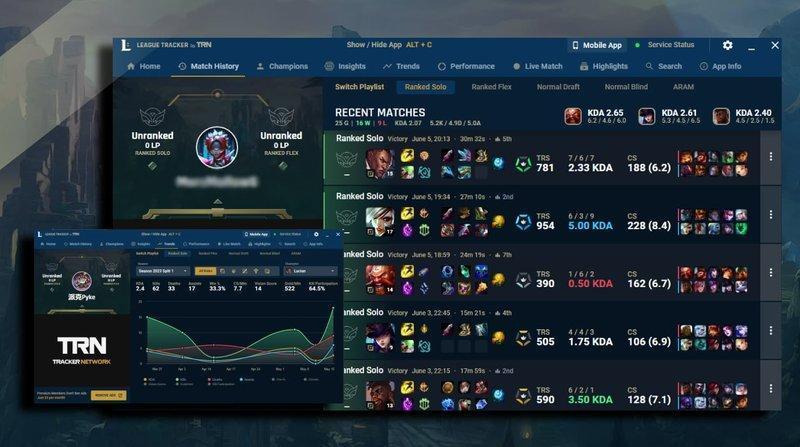
Riot Games has never built a “how much time have you spent playing League of Legends” button, and it probably never will. The in-client Stats tab only covers the current season.
So, here is a summary of various methods, and we’ll go into detail on each one.
P.S., if you’re also looking to know how much money you have spent on LoL, you can click to read more.
| Tool | Best For | Speed | Account Coverage | Notable Features |
|---|---|---|---|---|
| LoL Client (Stats tab) | Current season quick check | Instant | Current season only | Queue-by-queue breakdown |
| wol.gg | Lifetime estimate, every region | Instant | Strong post-2018 | Global leaderboard, 11 languages |
| NoobHours | Veteran accounts, champion stats | Instant | Strongest for pre-2020 | Per-champion hours, Efficiency Score |
| LoLValue | Time plus account value | Fast | Post-2018 | Skin inventory valuator |
Method 1: Check Your Time Played in the LoL Client
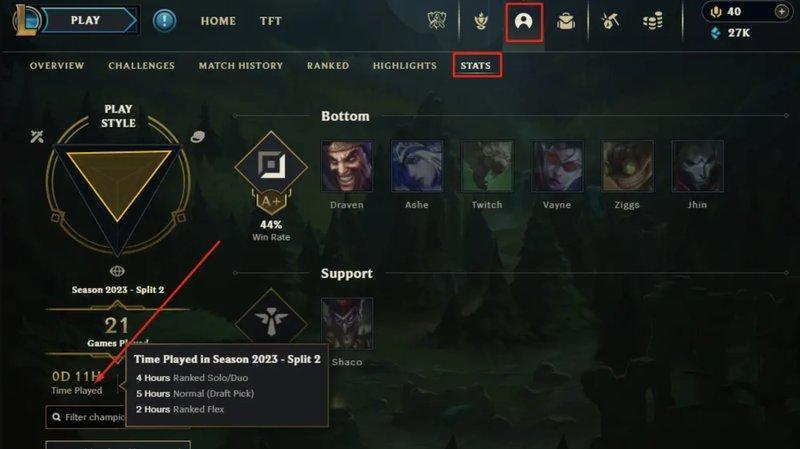
Open the League of Legends client, click the Profile tab at the top, then select Stats on the far right. Your current season or split summary shows total time played, number of games, win rate, and a breakdown per queue (ranked solo/duo, flex, normal, ARAM).
No lifetime total, no way to see how much time you spent in seasons you’ve already closed out.
Method 2: Use a Third-Party Tracker (wol.gg, NoobHours, etc.)
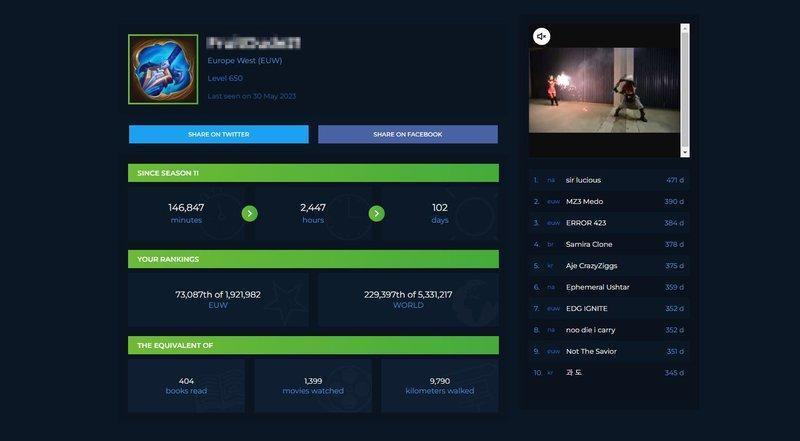
Most players use a third-party stat tracker that pings Riot’s publicly available match endpoints, pulls the match list, sums the individual match durations, and hands back a total in hours and days.
Three tools are worth knowing:
wol.gg (Wasted on LoL) is the original. Pick your region, type your summoner name, and hit search. It supports 11 languages and runs a global leaderboard, with the top player having played for over 2,100 days.
NoobHours is the newer alternative and arguably more accurate for older accounts. It reconstructs historical playtime across Ranked, ARAM, Normals, and other game modes, then layers per-champion hours, win rates, and an Efficiency Score that ranks you compared to other players at your tier.
LoLValue bundles wasted time with a skin inventory valuator, useful if you want to know both how many hours and money LoL has cost you.
General-purpose stat trackers like OP.GG and Mobalytics show recent match history, rank, and win rate, but neither gives you a lifetime LoL playtime.
Method 3: Manual Estimation From Match History and Average Game Time
If all tools are down, classic math still works. Pull your total number of games played from the ranked stats page and multiply by the average game time for that mode:
- Ranked solo/duo: 30 to 35 minutes
- Normal draft: 25 to 30 minutes
- ARAM: 15 to 20 minutes
Can I Request My Playtime Data From Riot Support?
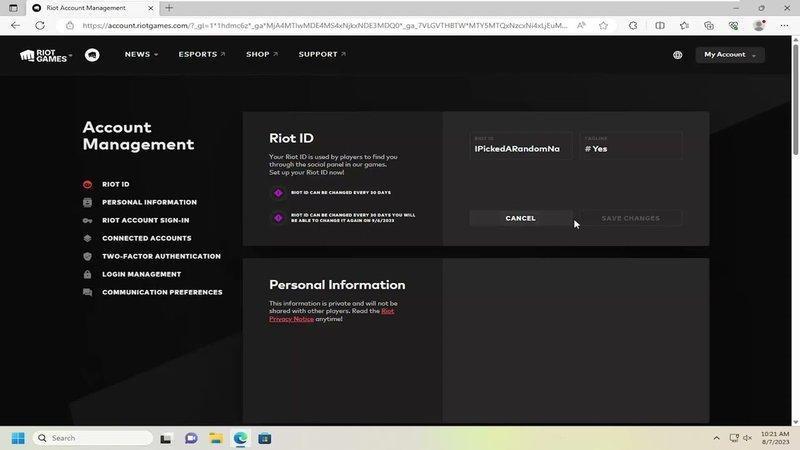
Yes and no. You can request your personal data, but Riot Games doesn't include total playtime or hours in its export. The official file is a set of .json files covering chat logs, login history, account events, and purchases, but NOT your cumulative playtime.
To request it through the official process:
- Log in via the Riot Games Support Website.
- Submit a ticket and select "Account Management, Data Requests, or Deletion."
- Choose "I would like to request my account data".
- Wait up to 30 days for an automated bot to process the request and email you a zip file of your account data.
Making Your LoL Playtime Meaningful

If you just clocked 2,000 hours and you’re still stuck, the time isn’t the problem. The feedback loop is. Time spent on League only turns into rank when someone good is actively telling you what you’re doing wrong, and almost no one figures that out on their own.
Booking a League of Legends coaching session lets a pro or Challenger coach watch your game replays or live matches, identify habits that cost you LP, and save you from spending another 500 hours reinforcing the same mistakes. Spend your time smarter from now on.
Turn knowledge into rank
Get a verified pro to review your gameplay and give you a plan.