How to Import Crosshairs in Marvel Rivals
Table of Contents
The default Marvel Rivals crosshair is a big white plus sign that easily disappears in Tokyo's neon skyline and Wakanda's golden sand. It might work for some, but it’s far from the best. That's why one of the first things experienced players do is import a custom crosshair.
NetEase added crosshair imports to the Combat HUD menu, so you no longer have to spend ages tweaking sliders to copy what you saw a streamer using. Instead, you just paste a code, hit confirm, and you're done. Nice and easy.
How to Import a Crosshair Code in Marvel Rivals
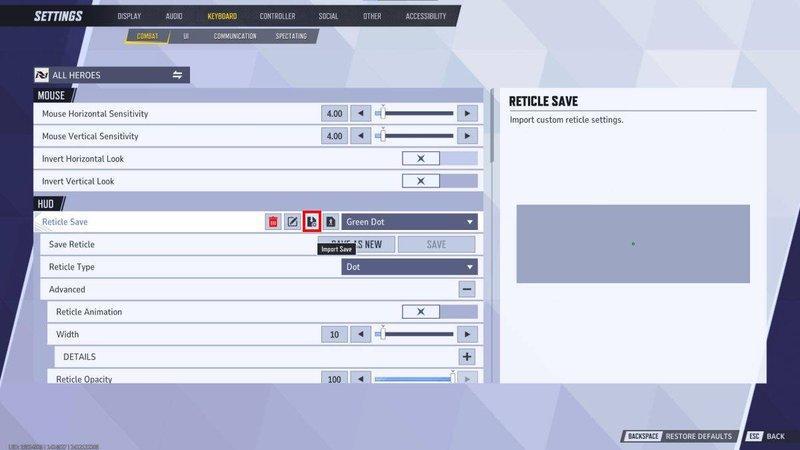
- Open Settings from the main menu or the in-game pause screen.
- Click the Keyboard tab at the top of the settings page. Controller players should select the Controller tab instead.
- Switch to the Combat section on the left side panel.
- Scroll down to the HUD area and find the Reticle Save dropdown.
- Click the small Import Save icon next to the dropdown. It looks like a download arrow.
- Paste your crosshair code into the field that pops up.
- Hit Confirm. Your new reticle loads in the preview window.
If the code doesn't work, it’s almost always because of an extra space or a quotation mark from copying. Most codes start with a single digit (the reticle type), followed by a semicolon and a long series of numbers separated by commas and semicolons.
Where to Find the Best Marvel Rivals Crosshair Codes
We've collected the top codes by hero, reticle type, and color in our Marvel Rivals best crosshair settings guide. Copy, paste into a save slot, and you're running the same setup as the players you're trying to learn from.
How to Export Your Crosshair Code
Click the Export Save icon next to the Import button, and the game copies the active code straight to your clipboard. Save it somewhere so you can always go back to it.
What the Import Save Setting Actually Does
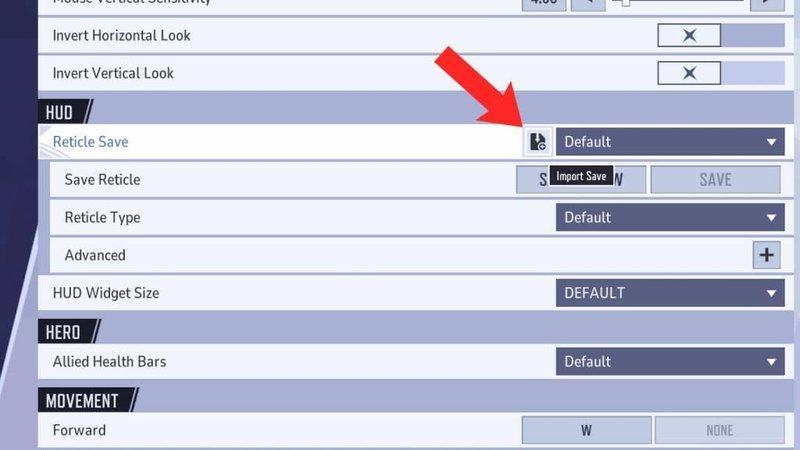
Every Marvel Rivals crosshair is stored as a long comma-separated string. The numbers control size, color, opacity, outline thickness, dot diameter, and roughly a dozen other settings. The Import Save button reads that string and applies every setting at once.
This matters because crosshair preference in Marvel Rivals is hero-dependent. The import system lets you save a crosshair for each hero you play and swap between them in seconds.
How to Change Your Marvel Rivals Crosshair Per Hero
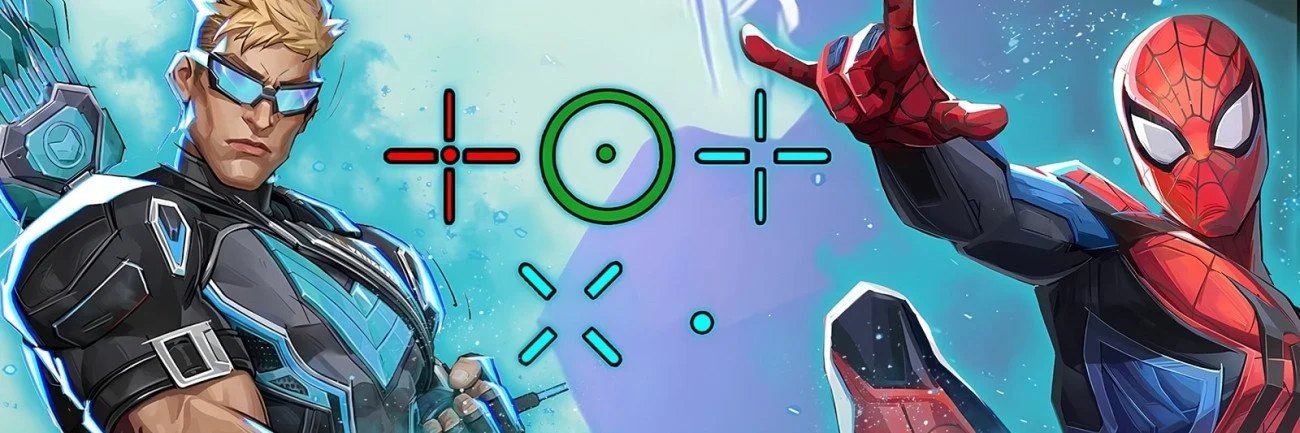
Serious players should utilize the five-slot save system properly, and you can swap crosshairs between heroes without digging through the settings every match. Marvel Rivals also lets you scroll through individual heroes inside the HUD menu using the dropdown in the upper left, so any changes you save while a specific hero is selected only apply to that character.
One popular way you can set up your slots is like this: one for hitscan duelists, one for projectile DPS, one for melee, one for support, and a wildcard for whatever new hero NetEase adds in the next patch.
If you’re seeking guidance on how to choose the best crosshair, flick, hold angles, and practice, letting a great Marvel Rivals coach review your gameplay is your fastest way to stop guessing and start improving.
Why You Cannot Import Crosshairs on Console
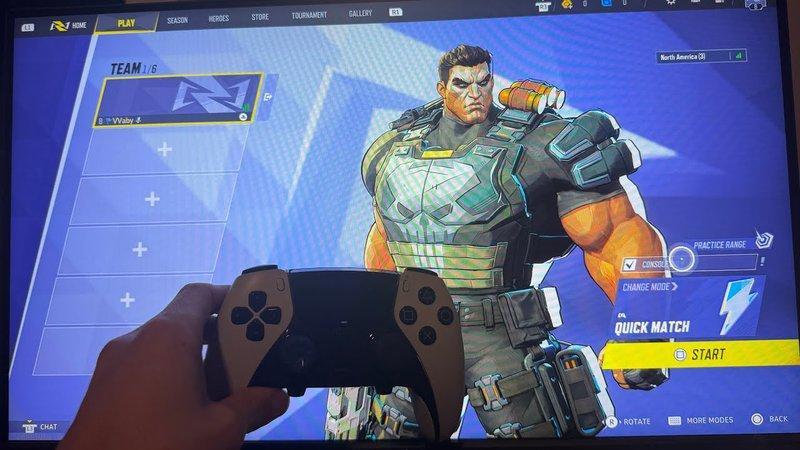
Marvel Rivals has not released a working console version of the Import Save feature. The codes are simply too long to type comfortably using a controller, and consoles don't have a clipboard system to make the process easier.
The easiest option for a console player is to take a screenshot of the slider values from a PC player and recreate them by hand. That may take 10 minutes, but it’s better than waiting for NetEase to add the feature.
Barry is a gaming writer and former high-elo player covering coaching tips, champion guides, and esports news.
All articles by BarryTurn knowledge into rank
Get a verified pro to review your gameplay and give you a plan.